When you want to show your product on a landing page, in a sales email or in your docs, two formats come up: a recorded video, or an interactive demo where the viewer clicks through the product themselves. Both work. They just work for different jobs, and choosing the wrong one for a page is usually why a demo gets ignored.
The core difference
A video demo is a recording someone watches from start to finish, at the pace you chose. It's great at storytelling: voice, music, motion and emotion.
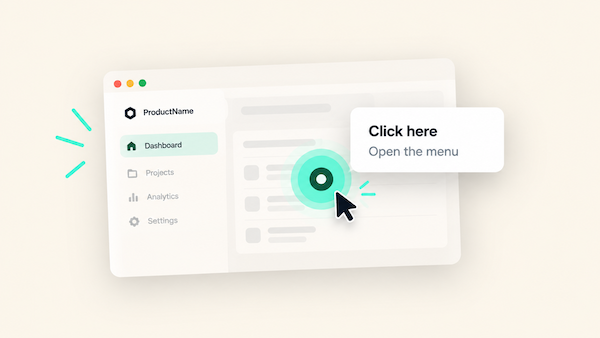
An interactive demo is a guided set of real screens. The viewer clicks the highlighted element, reads a short tooltip and moves on at their own pace. It's great at showing how something is actually done, because the viewer does it.
Side-by-side comparison
| Video demo | Interactive demo | |
|---|---|---|
| Viewer control | Play, pause, scrub. The pace is set for them. | They move step by step, at their own pace. |
| Best at | Story, emotion, motion, a human voice | Showing exactly how a task is done |
| Effort to make | Script, recording, editing, often a voice-over | Screenshots, hotspots and short text |
| Keeping it current | A UI change often means re-recording | Replace one screenshot or edit one tooltip |
| Sound | Needs captions for viewers watching muted | Silent by design: everything is on screen |
| Translation | New voice-over or subtitles per language | Translate the tooltip text |
| Page weight | Video files can be large; compress them and avoid autoplay | Loads like a set of images |
When a video is the better choice
- Launches and announcements, where the goal is excitement and personality rather than instruction.
- The “why” story: the problem, the people who have it and how life is better after. Video carries that far better than tooltips.
- Things that move: animations, real-time collaboration, drag-and-drop, hardware. Screenshots can't show motion.
- A founder or expert talking to camera, where trust comes from seeing a person.
We use a short launch video at the top of our own landing page for exactly these reasons: it sets the scene in a way a click-through can't.
When an interactive demo is the better choice
- Feature walkthroughs, where people want to see the actual steps and decide if it fits how they work.
- Sales follow-ups: send the exact workflow you discussed, and the prospect can click through it again or forward it to colleagues.
- Help center and onboarding, where users follow along and need to find the right button, not watch a three-minute clip to find one moment.
- Products that change often, because updating a screenshot is much faster than re-recording.
- Several languages, because translating short tooltips is far cheaper than new voice-overs. (We cover this in multilingual product demos.)
Using both on the same page
For many products, the best landing page uses both, in that order: a short video near the top to explain why, then an interactive demo further down for people who want to see how. The visitors who scroll to the demo are usually the ones evaluating seriously, and giving them something to click respects that.
A few practical tips if you do this:
- Don't autoplay the video with sound. Show a play button and let visitors choose.
- Keep the video short. Cut anything a tooltip could explain better.
- Give the interactive demo a clear next step at the end, like starting a trial or booking a call.
- Compress the video and give it a poster image, so it doesn't slow the page down.
How to decide for a specific page
Ask what the visitor needs at that moment:
| The visitor needs to… | Use |
|---|---|
| Feel why this product matters | Video |
| See how a task is done | Interactive demo |
| Follow along while doing it | Interactive demo |
| Understand something that moves | Video |
| Read it in their own language | Interactive demo (or subtitled video) |
Then measure. Your website analytics can tell you how many visitors interact with each format and how many of them sign up afterwards. Compare a version of the page with and without the demo rather than relying on general rules, because your audience is the only one that matters.
Frequently asked questions
Is an interactive demo the same as a product tour?
They're close. “Product tour” often means in-app guidance shown to signed-in users. An interactive demo is usually shared outside the product, on a website or in an email, and works for people who haven't signed up.
Can an interactive demo replace a free trial?
It complements one. A demo shows the path quickly with no setup, which helps people decide whether to start a trial at all.
How long should a product video be?
As short as the story allows. If a part of it is really a step-by-step explanation, consider moving that part into an interactive demo.
Make your first interactive demo
Upload a few screenshots, add hotspots and tooltips, and share a link in minutes. 7-day free trial, no card needed.
Start your free trial